
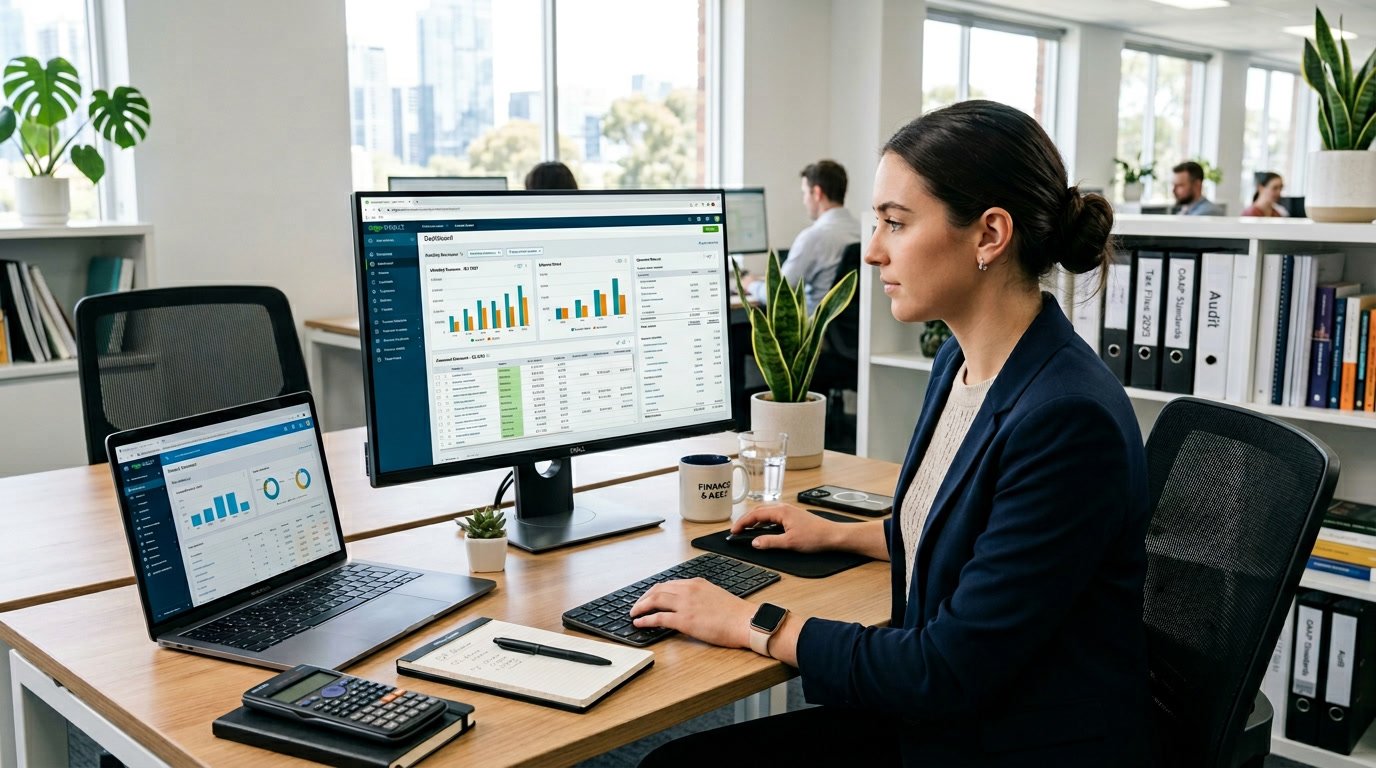
Core Accounting Software Platforms
New accountants must learn the main accounting software platforms used in the profession. QuickBooks Online leads the market with comprehensive features.
Xero excels in cloud-based solutions and multi-user access. Sage provides robust desktop and cloud options for complex needs.
FreshBooks and Wave offer streamlined tools for specific business types.
QuickBooks and QuickBooks Online
Small to medium-sized businesses use QuickBooks Online as their primary accounting software. The platform manages all major accounting tasks, such as accounts payable, accounts receivable, bank reconciliation, and automated invoicing.
QuickBooks supports double-entry accounting and gives real-time financial insights through customizable dashboards. It offers different versions to fit various business needs.
Simple Start helps sole proprietors track income and expenses. Essentials and Plus add time tracking and project management.
Advanced plans allow up to 25 users and include forecasting and revenue recognition tools. QuickBooks Online connects with hundreds of third-party apps and sales channels like Amazon, Shopify, and eBay.
QuickBooks Time tracks billable hours. The software provides strong inventory management with purchase orders, sales orders, and product assemblies.
Multi-currency support makes it suitable for international businesses. Mobile apps allow users to manage transactions and reports anywhere.
New accountants should master QuickBooks because many employers and clients rely on it.
Xero and Cloud Accounting Solutions
Xero provides cloud-based accounting software with unlimited user access at every pricing tier. Teams can access financial data simultaneously from any location.
Xero manages all major accounting functions, including bills, expenses, fixed assets, inventory, and payroll. The software streamlines employee expense reporting and reimbursement tracking.
Bank reconciliation tools match transactions and suggest categorizations automatically. Xero offers strong reporting with customizable templates for daily operations and standard financial statements.
The Advanced Analytics add-on covers cash flow trends and key performance metrics. Xero integrates with many business applications and connects users with accounting advisors.
New accountants can follow Xero’s step-by-step instructions and use support options like chat, email, and phone. The platform supports multi-currency transactions for global operations.
Cloud accounting eliminates local software installation and provides automatic updates.
Sage, Sage 50cloud, and Wave Accounting
Sage 50cloud blends desktop software with cloud-based access. It offers advanced inventory tracking, detailed product management, and support for multiple warehouse locations.
Users can customize reports, dashboards, and transaction forms. Sage 50cloud runs as a Windows desktop app with cloud connectivity.
This software appeals to accountants who prefer traditional interfaces. Sage 50cloud costs more than competitors but delivers professional-grade accounting features.
It integrates with Microsoft 365 Business for companies using that office suite. Wave Accounting targets microbusinesses and sole proprietors.
Wave’s free plan includes income and expense tracking, invoicing, and basic reporting. Wave Pro adds bank transaction imports and receipt scanning.
Wave works well for service-based businesses that do not need inventory tracking. The software focuses on invoice-centric operations and allows unlimited invoices.
Mobile apps help users manage finances remotely. Wave lacks time tracking and project management features, so it fits businesses without employees.
FreshBooks and Specialized Small Business Tools
FreshBooks serves service-based businesses with features for time tracking and project management. The platform helps companies bill clients accurately for hourly work.
FreshBooks supports double-entry bookkeeping and keeps the interface simple. The software assigns different roles, such as Admin, Employee, Contractor, and Manager, to control data access.
FreshBooks connects with Gusto Payroll to convert tracked time into paychecks automatically. Recent updates include AI-driven fraud detection and automated transaction categorization.
The platform provides settings that adjust based on user actions. Audit logs record changes to financial records.
Mobile apps let accountants manage transactions and communicate with clients from any device. FreshBooks works best for freelancers, consultants, and service providers who need invoicing and time tracking.
It offers limited inventory management compared to QuickBooks or Sage. The user experience remains simple while covering essential accounting functions.
Live support helps new accountants solve problems quickly.
Spreadsheet and Data Analysis Tools
Spreadsheet software forms the foundation of most accounting work. New accountants must master Microsoft Excel and Google Sheets.
These platforms handle basic bookkeeping and complex financial modeling. Advanced features like pivot tables and Power BI integration turn raw data into insights.
Microsoft Excel: Formulas, Pivot Tables, and Automation
Microsoft Excel is the most widely used spreadsheet software in accounting. New accountants must learn essential formulas like SUM, IF, and INDEX-MATCH to perform calculations quickly.
These functions automate tasks and reduce manual errors in financial statements. Pivot tables help summarize large datasets.
Accountants use pivot tables to group, filter, and analyze data without complex formulas. A pivot table can transform thousands of transactions into clear summaries by category, date, or vendor.
Macros and Visual Basic for Applications (VBA) automate repetitive tasks. Basic macro recording can save hours during monthly reporting.
Advanced users can write scripts to connect Excel with other accounting systems. This allows automatic data updates and real-time dashboards.
Google Sheets and Collaborative Spreadsheets
Google Sheets offers cloud-based spreadsheets for team collaboration. Multiple users can edit the same financial model at the same time.
Changes save automatically, and version history tracks every modification. Google Sheets integrates with other Google Workspace tools.
Accountants can pull data from Google Forms or link spreadsheets to presentations. Sharing controls set view-only or edit permissions for stakeholders.
Add-ons extend functionality. Data connectors import information directly from banking APIs or accounting platforms.
While Google Sheets lacks some of Excel’s advanced features, its collaboration tools make it ideal for remote teams.
Advanced Functions: VLOOKUP, Data Visualization, and Power BI
VLOOKUP and XLOOKUP help match data across spreadsheets. Accountants use these functions to reconcile accounts, match invoices to payments, and combine data from multiple sources.
XLOOKUP searches both vertically and horizontally for more flexibility. Data visualization turns numbers into charts and graphs.
Bar charts compare budget versus actual spending. Line graphs show revenue trends, and heat maps highlight problem areas.
Microsoft Power BI expands Excel’s capabilities into business intelligence. The tool connects to accounting systems, databases, and spreadsheets to create interactive dashboards.
Power BI supports real-time financial monitoring, automated reporting, and predictive analytics. Learning Power BI basics gives new accountants an advantage.
Document Management and Secure File Sharing
Accountants handle sensitive financial documents daily. Secure storage and sharing systems protect client data.
Modern document management tools include security features like encryption and access controls.
Document Management Systems and Tools
Document management systems organize and store files in a central location. Team members can access documents as needed.
These platforms track document versions, enable quick file searches, and automate workflows for gathering client information.
Key features include:
- High-capacity file storage
- Version history and file recovery
- Automated document workflows
- Custom-branded client portals
- PDF editing tools
- Integration with accounting software
TaxDome, SmartVault, and SuiteFiles are popular tools for accounting firms. These platforms offer features like customizable request lists and automated reminders for missing files.
General tools like Google Drive and Microsoft OneDrive work for basic storage but lack accounting-specific features. Many firms choose dedicated solutions that combine document management with client communication.
Secure File Sharing Solutions: ShareFile, Dropbox, Egnyte
Secure file sharing platforms protect financial data during transmission and storage. ShareFile, owned by Citrix, offers bank-level encryption and detailed access controls.
Dropbox provides end-to-end encryption, two-factor authentication, and e-signatures. Teams of all sizes can use Dropbox across desktop, mobile, and web browsers.
Egnyte adds advanced security with granular access rights and audit logs. The platform tracks file access for compliance.
Accountants should check that file sharing solutions use encryption in transit and at rest. Password-protected links and expiring access add extra security for sharing sensitive documents.
SOC 2 and Multi-Factor Authentication for Accountants
SOC 2 compliance shows that a platform meets strict standards for security, availability, and confidentiality. Certified tools undergo regular security audits.
Multi-factor authentication (MFA) requires users to verify their identity through two or more methods. Common MFA methods include text codes, authenticator apps, or biometric verification.
Essential security standards for accounting platforms:
| Standard | Purpose |
|---|---|
| SOC 2 | Validates security controls and data protection |
| GDPR | Ensures privacy compliance for EU clients |
| HIPAA | Required when handling health-related financial data |
Accountants should enable MFA on all document management and file sharing platforms. MFA prevents unauthorized access even if someone gets login credentials.
Most secure file sharing solutions include MFA as a standard feature or paid add-on.
Collaboration and Workflow Optimization
Modern accounting requires tools that help teams work together and automate repetitive tasks. The right mix of communication platforms, workflow software, and practice management systems reduces bottlenecks and improves deadline management.
Real-Time Collaboration Platforms: Google Workspace and Slack
Google Workspace gives accountants tools for document sharing and real-time collaboration. Teams can work on spreadsheets, presentations, and documents at the same time.
Google Drive provides cloud storage, Gmail handles professional email, and Google Meet supports video conferencing. Slack acts as a central communication hub and reduces email clutter.
Accountants can create channels for specific clients, projects, or tax seasons. Slack integrates with over 2,000 applications, so teams receive notifications from accounting software directly in conversations.
Microsoft Teams offers similar features with deeper Microsoft integration. It combines chat, video meetings, and file collaboration in one interface.
These platforms help accounting teams keep clear communication trails. Files remain accessible to authorized team members anywhere.
Workflow Software for Accountants: Jetpack Workflow, Karbon
Jetpack Workflow focuses on task and workflow management for accounting firms.
It offers a large template library for common accounting processes like tax preparation and bookkeeping.
The software costs $30 per user per month when billed annually and includes unlimited cloud storage.
Users track what team members are working on through real-time project updates and can apply filters to view specific tasks.
Karbon provides workflow management designed for accounting practices.
It combines client management, task tracking, and team collaboration features.
The platform helps firms standardize processes across client engagements.
Both tools integrate with other accounting applications through direct connections or Zapier.
Firms can build connected systems and avoid missed deadlines with automated reminders and clear visibility into ongoing work.
Practice Management Software and Task Automation
Practice management platforms combine workflow automation, client communication, and document management.
TaxDome won the 2024 CPA Practice Advisor Readers Choice Award for best comprehensive firm workflow system.
It offers unlimited cloud storage, built-in CRM, e-signatures, and automated client communication, starting at $700 per year.
Key automation features include:
- Recurring task creation for regular accounting cycles
- Automated invoice generation and payment reminders
- Document collection from clients through secure portals
- Email and SMS automation for client follow-ups
Financial Cents lets firms create custom workflows using AI or upload their own templates.
It features smart email management that turns client emails into trackable projects.
These platforms reduce manual workloads by removing repetitive tasks.
Managers can see which team members are responsible for specific deliverables, improving accountability.
Standardized processes lead to more consistent service quality.
Payroll and Expense Management Applications
New accountants need reliable payroll software for employee payments, tax compliance, and reporting.
Expense management tools track spending and automate reimbursements.
Payroll Software: ADP, Gusto, and Cloud Integrations
ADP offers payroll solutions for businesses of all sizes.
The platform handles tax calculations, direct deposits, and year-end reporting.
ADP integrates with major accounting software and provides compliance updates for federal and state regulations.
The system costs more than competitors but offers advanced features.
Gusto provides an easier interface for small to medium-sized businesses.
It costs $40 per month plus $6 per employee and includes benefits administration, new hire onboarding, and time tracking.
Gusto connects with QuickBooks, Xero, and other accounting platforms through cloud integrations.
Cloud integrations sync payroll data automatically with accounting software.
This eliminates manual data entry and reduces errors.
Most modern payroll systems offer API access for custom integrations.
Accountants can process payroll from anywhere and give clients real-time access to reports and pay stubs.
Expense Tracking and Automation: Expensify and Harvest
Expensify automates expense report creation by scanning receipts and extracting transaction details.
Users photograph receipts with their phones, and the software categorizes expenses automatically.
Expensify integrates with credit cards to import transactions and matches them with receipt images.
The platform costs $5 per user per month and syncs with QuickBooks, Xero, and NetSuite.
Harvest focuses on time tracking and expense management.
It records billable hours, tracks project expenses, and generates invoices based on time entries.
Harvest costs $12 per user per month and suits service-based businesses.
The software provides reports showing profitability by client or project and connects with accounting platforms through direct integrations.
Tax Preparation and Filing Solutions
Tax preparation software automates calculations, ensures compliance with regulations, and reduces filing errors for accountants.
These tools integrate with accounting systems to streamline year-end processes and client deliverables.
TurboTax and Leading Tax Software
Professional tax preparation software differs from consumer versions like TurboTax.
Accountants need platforms that handle multiple clients and complex business returns.
Drake Tax Software ranks as a top choice for its federal and state filing capabilities.
It supports individual, business, and specialty returns at competitive prices.
Intuit offers professional solutions through Lacerte, ProSeries, and ProConnect Tax.
These systems provide batch processing and e-filing for high-volume practices.
Thomson Reuters UltraTax and Wolters Kluwer’s CCH Axcess Tax serve mid-sized and larger firms with advanced workflow management.
ATX and TaxSlayer Pro serve solo practitioners and smaller firms seeking affordable tax preparation tools.
Each platform includes built-in error checking, automatic form updates, and direct IRS e-filing integration.
The best choice depends on client volume, return complexity, and budget.
Integrating Tax Filing with Accounting Platforms
Modern tax preparation tools connect directly with accounting software to avoid duplicate data entry and reduce errors.
QuickBooks Accountant integrates with Intuit’s professional tax products, allowing automatic import of financial data into tax returns.
This connection saves hours during tax season and improves accuracy.
Drake Accounting users benefit from integration with Drake Tax Software, creating a unified environment for bookkeeping and tax compliance.
Third-party tools like GruntWorx and TaxDome automate documents and client portal functions across software combinations.
Cloud-based platforms like Xero and Sage Intacct offer API connections to major tax systems.
These integrations enable real-time data flow and year-round tax planning.
Accountants should choose software combinations that reduce manual data transfer and fit their client needs.
Security and Automation in Accounting Technology
Security protections and automated workflows form the backbone of modern accounting systems.
These tools prevent unauthorized access, keep detailed records, and help accountants process data faster with fewer errors.
Password Managers and Access Control
Password managers store and encrypt login credentials for multiple accounting platforms in a single secure vault.
Tools like 1Password, LastPass, and Bitwarden generate strong, unique passwords for each system and auto-fill them during login.
This approach removes weak passwords and lowers the risk of credential theft.
Access control systems decide who can view or modify specific financial data.
Role-based permissions ensure staff only access information needed for their jobs.
Multi-factor authentication adds a verification step, usually through a mobile app or security key.
Cloud-based accounting platforms include detailed permission settings that track user activity.
These controls protect sensitive client data and help firms comply with regulations.
Audit Trails and Forensic Accounting Tools
Audit trails record every change to financial records, including who made the change, when it happened, and what was modified.
Modern accounting software generates these logs automatically.
Audit trails become valuable when investigating discrepancies or suspected fraud.
Forensic accounting tools analyze audit trails to detect unusual patterns in financial data.
These systems flag duplicate invoices, unauthorized adjustments, and irregular transaction timing.
Some platforms use machine learning to spot anomalies.
Immutable logs use blockchain-style technology to prevent tampering with records.
Once a transaction is recorded, it cannot be changed or deleted without leaving evidence.
This feature strengthens report reliability during audits.
AI, Data Integration, and Python in Modern Accounting
Artificial intelligence automates repetitive accounting tasks like expense categorization, invoice matching, and bank reconciliation.
AI tools learn from past entries and reduce time spent on data entry by up to 80%.
These systems give real-time financial insights by processing transactions as they occur.
Data integration connects accounting platforms, banks, and business systems into a single workflow.
APIs pull information from payment processors, inventory systems, and CRM tools directly into accounting software.
This eliminates manual transfers and reduces entry errors.
Python is valuable in accounting technology for custom automation scripts and data analysis.
Accountants use Python libraries like pandas for handling large datasets, openpyxl for Excel automation, and matplotlib for financial visualizations.
Scripts can automate report consolidation, calculate complex tax provisions, or validate data before generating reports.
Frequently Asked Questions
New accountants often want to know which tools to learn, what features matter, and how to work securely with client data.
Understanding these basics helps build a strong accounting foundation.
Which accounting software platforms should a new accountant learn first to be job-ready?
QuickBooks Online is the most widely used platform in small and mid-sized businesses.
Most job postings list QuickBooks experience as a requirement.
Xero is popular among modern firms that use cloud-based clients.
Learning both QuickBooks and Xero gives new accountants flexibility.
Sage Intacct serves larger organizations and nonprofits.
Familiarity with Sage Intacct can open doors to more complex roles, though it’s not always required for entry-level jobs.
Wave Accounting and FreshBooks are also useful for those working with small businesses or freelancers.
What Excel features and functions are most essential for daily accounting work?
PivotTables help summarize and analyze large datasets quickly.
VLOOKUP and XLOOKUP match data across spreadsheets and tables.
Accountants use these functions to verify transactions, match invoices, and reconcile accounts.
Basic formulas like SUM, SUMIF, and COUNTIF handle most calculations.
IF statements categorize transactions and flag exceptions.
Conditional formatting highlights unusual values or errors automatically.
Freezing panes and filtering data make large spreadsheets easier to use.
How do cloud-based accounting tools change workflows for bookkeeping, reporting, and collaboration?
Cloud platforms let multiple team members access the same data at once.
This means accountants can reconcile accounts while managers review reports in real time.
Automatic bank feeds remove manual data entry for most transactions.
The software downloads transactions from banks and suggests categories based on past data.
Client portals let clients upload documents and view reports without email attachments.
This reduces security risks and keeps communication organized.
Mobile access allows accountants to approve expenses, check balances, and answer client questions from anywhere.
Remote work becomes easy when all tools run in a web browser.
What security and data-privacy practices should accountants follow when using financial software and client data?
Accountants should enable multi-factor authentication on every account with financial data.
This adds a second verification step and blocks most unauthorized access.
Password managers like 1Password or Keeper Security generate and store complex passwords for each platform.
Accountants should avoid reusing passwords across systems.
Encrypted file sharing platforms like ShareFile or OneDrive for Business protect documents in transit and at rest.
Standard email attachments do not meet security standards for sensitive information.
Access controls need regular review to ensure former employees and contractors no longer have access.
Role-based permissions limit what each team member can view or modify.
Which tools are best for automating bank reconciliations, expense tracking, and invoice processing?
QuickBooks Online and Xero offer automated bank reconciliation with machine learning that improves categorization accuracy.
These platforms match transactions to records and flag discrepancies for review.
Dext and Hubdoc specialize in receipt and invoice capture.
Users can photograph receipts or forward invoices by email, and the software extracts key data.
Bill.com automates accounts payable workflows from approval to payment.
This platform integrates with major accounting software to sync vendor bills and payment records.
Expensify and Zoho Expense manage employee expense reports with automated policy checks and approval workflows.
These tools reduce the time accountants spend on receipt documentation.
What reporting and business intelligence tools should accountants know to build dashboards and present insights?
Power BI connects to accounting software and creates interactive dashboards. These dashboards update automatically.
Finance teams track key metrics like cash flow, revenue trends, and expense patterns with Power BI.
Tableau provides advanced visualization options for firms that need to present complex financial data. Its drag-and-drop interface is easy to use, even for accountants without programming skills.
Fathom and Spotlight Reporting help accounting firms by pulling data from platforms like QuickBooks and Xero. These tools generate client-ready financial reports and performance dashboards.
Excel remains a core reporting tool because of its charting features and flexible formulas. Many accountants use Excel to build custom dashboards that combine data from multiple sources with Power Query.
Leave a Reply