
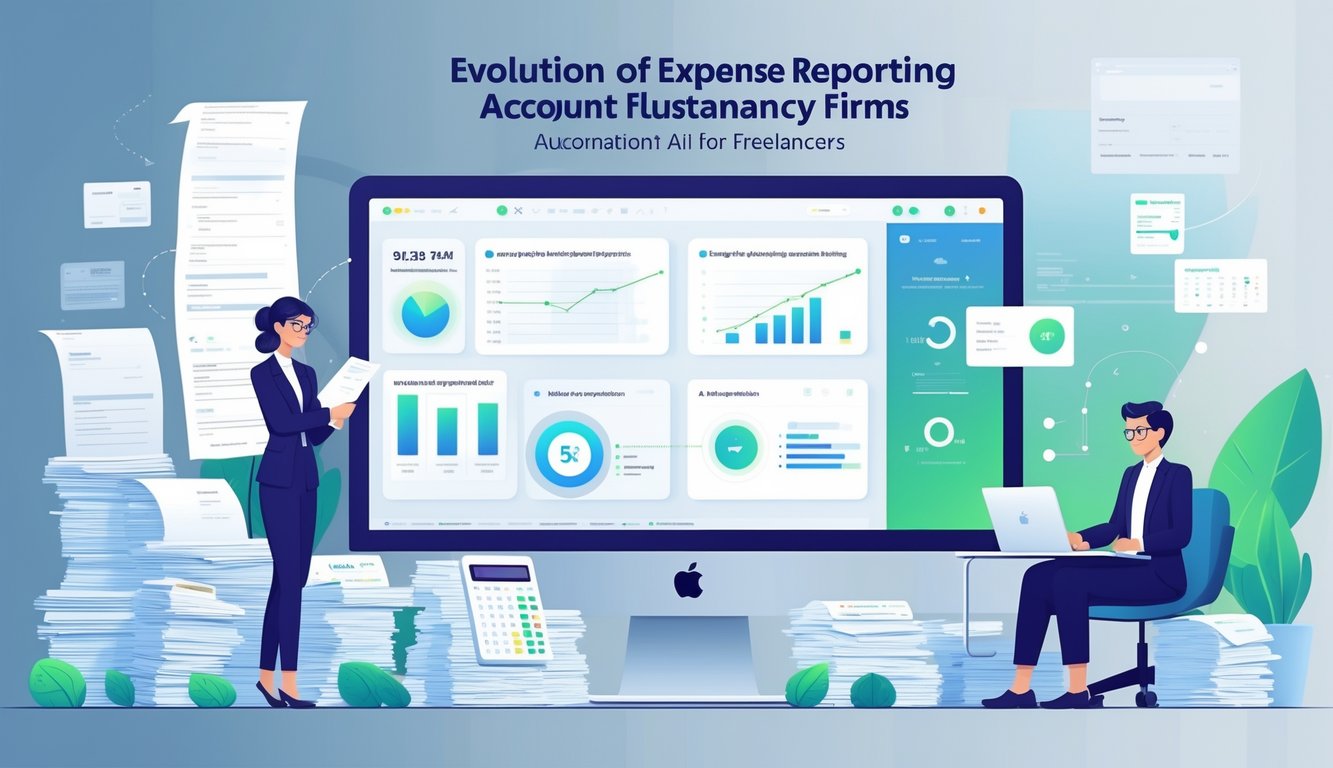
The Evolution of Expense Reporting in Accountancy Firms
Expense reporting in accountancy has changed drastically. Firms have moved from slow, error-prone manual methods to faster digital tools.
This shift reduces mistakes and improves how accountants track and manage expenses.
Historical Pain Points of Manual Expense Reporting
Accountants used to enter data by hand, often working from paper receipts or spreadsheets. This slow process took time away from analysis.
Lost or damaged receipts and incomplete information made it hard to verify expenses. Freelancers struggled to keep records organized while handling multiple clients.
Paper and manual data entry complicated audits. Accountants had to cross-check many documents, which increased workloads during busy times.
Impact of Manual Data Entry on Accuracy
Manual data entry caused frequent human errors like typos, wrong dates, or missing expenses. These mistakes led to inaccurate financial reports and poor budget decisions.
Incorrect tracking sometimes created compliance problems with tax authorities. Delays in reimbursements hurt freelancers’ cash flow.
Firms spent extra time fixing errors and reconciling accounts. This reduced productivity and caused frustration for accountants and clients.
Transition to Digital and Automated Processes
Digital tools improved expense reporting by scanning and recording receipts automatically. These tools reduced manual input and cut errors.
AI now categorizes expenses, verifies receipts, and flags unusual entries for review. This technology speeds up reconciliation and improves accuracy.
Smaller firms and freelancers use automation tools to simplify bookkeeping. Accountants spend more time on strategic tasks instead of routine data entry.
Core Concepts of AI-Driven Expense Reporting
AI-driven expense reporting uses advanced technologies to reduce manual work and improve accuracy. These technologies read receipts, categorize expenses, and spot mistakes quickly.
AI predicts spending patterns, helping freelancers and firms manage money better.
Artificial Intelligence and Automation in Accounting
AI in accounting automates repetitive tasks like entering expense data and checking transactions. This reduces errors and saves time.
Automation checks if expenses follow company rules and flags unusual activity. Freelancers benefit from fewer manual entries and faster reimbursement.
Firms improve workflow efficiency because staff can focus on analysis instead of data input. AI works around the clock, ensuring expense reports are always processed.
Key Features of AI Tools for Expense Reporting
AI-powered tools extract key information from expense documents automatically. They pull data like dates, amounts, vendors, and categories without manual entry.
This data extraction often uses optical character recognition (OCR) technology. Most AI tools also provide automatic categorization, compliance checks, and error detection.
They alert users about out-of-policy expenses or missing details. Many tools integrate with accounting software for seamless updates.
| Feature | Benefit |
|---|---|
| Automated Data Extraction | Saves time, reduces errors |
| Expense Categorization | Organizes records, eases reporting |
| Compliance Monitoring | Ensures policy adherence |
| Integration with Systems | Streamlines accounting workflows |
Machine Learning and Predictive Analytics
Machine learning algorithms analyze past expense data to improve accuracy. They learn typical spending habits and frequent vendors.
This helps detect anomalies or possible fraud quickly. Predictive analytics uses past data to forecast future expenses and cash flow.
Freelancers use this for better budgeting. Firms use real-time insights for smarter financial planning.
Natural Language Processing and OCR Technology
Natural language processing (NLP) helps AI understand text on receipts and expense reports. It interprets descriptions, categories, and vendor names, even if handwritten or in different formats.
OCR technology turns scanned documents or photos into editable text. Combined with NLP, AI tools extract data accurately, no matter the document’s design or quality.
This makes paperless expense reporting possible and speeds up submissions for freelancers and firms.
Benefits of Automating Expense Reporting for Freelancers
Freelancers who automate expense reporting save time and reduce mistakes. They also get better insights into their spending, which helps with money management.
Improved Efficiency and Cost Savings
Automation helps freelancers save time by removing manual data entry and paperwork. Software captures expenses instantly, so freelancers spend less time tracking costs.
Automation also lowers costs by reducing errors that cause late fees or missed deductions. Freelancers can focus on billable work, improving their return on investment.
Key efficiency gains include:
- Faster expense submission and approval
- Instant receipt capture with mobile apps
- Automatic syncing with accounting software
These features streamline workflows and reduce overhead.
Enhanced Accuracy and Reduction in Human Error
Manual reporting often leads to mistakes like duplicate entries or missing receipts. Automation captures data directly from invoices and bank feeds, minimizing errors.
AI tools flag inconsistent or duplicate expenses, letting freelancers catch problems early. This leads to more accurate financial reporting, which is important for tax filing and budgeting.
Automation enforces consistent expense policies. Freelancers working with multiple clients or agencies avoid policy violations.
Streamlined Reporting and Real-Time Insights
Automated systems create detailed reports instantly, making it easy to track spending. Freelancers see real-time insights through dashboards that show trends and budget status.
This transparency helps freelancers adjust plans quickly to avoid overspending. Many tools allow easy report exports to share with clients or accountants.
Clear reporting means less guesswork and faster decision-making.
Increased Employee Satisfaction
Freelancers appreciate user-friendly tools that reduce stress and simplify tasks. Automation removes tedious work, letting them focus on creative or income-generating activities.
Smooth automation reduces frustration over lost receipts or complex paperwork. Freelancers feel confident their finances are organized and tax compliant.
Reliable software helps freelancers maintain good financial habits.
AI Tools and Platforms for Automated Expense Management
Automated expense management uses several AI-powered tools for receipt scanning, expense tracking, and error reduction. These tools offer different features, integration options, and specializations.
Overview of Leading AI Accounting Tools
Leading AI accounting tools like Expensify, Concur, and Zoho Expense simplify expense reporting and approvals. They use AI to scan receipts, categorize expenses, and flag unusual transactions.
These cloud-based tools let freelancers and firms access data from any device. Vic.ai and Docyt add automation with advanced machine learning that detects errors and automates invoice coding.
Most platforms offer mobile apps for convenient expense logging.
Features Comparison: Expensify, Concur, and Zoho Expense
| Feature | Expensify | Concur | Zoho Expense |
|---|---|---|---|
| Receipt scanning | AI OCR-based, automatic | AI with image recognition | Auto-upload, OCR supported |
| Expense categorization | Automated with rules | AI-driven classification | Custom rules and AI suggestions |
| Approval workflows | Multi-level approvals | Configurable multi-tier | Flexible, with email alerts |
| Real-time reporting | Yes | Yes | Yes |
| Mobile app | iOS/Android | iOS/Android | iOS/Android |
| Integration | QuickBooks, Xero, Sage Intacct | ERP systems, cloud accounting | Zoho Books, QuickBooks |
Expensify is user-friendly and works well for freelancers. Concur suits larger firms with complex approval needs.
Zoho Expense offers affordable options and flexible integrations.
Role of Specialized Solutions: Blue dot, Zeni, Truewind, Gridlex, Booke
Specialized solutions like Blue dot and Zeni focus on expense automation for freelancers and small firms. Blue dot matches receipts automatically and updates transactions in real time.
Zeni combines bookkeeping with AI expense management, offering oversight and automated categorization. Truewind and Gridlex integrate with tax and compliance services, helping with regulations.
Booke supports expense management, invoicing, and payment tracking for freelancers. These platforms often provide extra services to meet specific accounting needs.
Integration Capabilities with Accounting Software
Integration with accounting software is essential. Tools like Expensify, Zoho Expense, and Concur connect with cloud-based software such as QuickBooks, Xero, and Sage Intacct.
This enables automatic syncing of expenses and invoices, reducing data duplication. Vic.ai and Docyt integrate with ERP systems for seamless expense management in larger workflows.
Integration also connects to payment platforms and banking apps for real-time tracking. Cloud-based systems offer data security and remote access.
Freelancers and firms benefit from automated syncing and consolidated reports, which reduce manual reconciliation.
Key Challenges and Solutions in AI-Powered Expense Reporting
Automating expense reporting with AI brings challenges that need attention. These include protecting sensitive data, following rules and policies, detecting fraud, and keeping clear audit records.
Data Security and Privacy Concerns
Data security is crucial because expense reports contain sensitive personal and financial information. AI systems protect this data from breaches or unauthorized access.
Encryption secures data during storage and transmission. Privacy laws like GDPR require firms to use data transparently and limit access.
AI tools use strict access controls and audit logs to track data use. Regular security updates and vulnerability testing help prevent hacking or leaks.
Freelancers and firms benefit when AI providers use strong data security practices.
Policy Enforcement and Compliance
AI enforces company policies by checking expense reports automatically. It flags invalid entries or missing documents to keep firms compliant.
Automated checks reduce manual errors and speed up approvals. Freelancers follow guidelines on categories, limits, and required receipts.
Real-time enforcement stops out-of-policy claims before reimbursement. Firms can customize policies, ensuring consistent rule application.
Fraud Detection and Anomaly Detection
AI detects fraud by finding unusual or suspicious expense patterns. Algorithms flag repeated submissions, inflated amounts, or inconsistent data.
AI reduces fraud risks by comparing current expenses to historical data and known fraud patterns. Alerts prompt human review of questionable claims.
These systems learn from new fraud tactics and improve over time. Automated workflows send issues to the right person for quick resolution.
Audit Readiness and Transparency
AI creates detailed audit trails for every expense report. These trails include timestamps, approval steps, and changes, ensuring full transparency.
Firms maintain detailed documentation to prepare for audits. This reduces the time and effort needed to prove compliance.
Transparent AI processes help build confidence in expense data accuracy. Auditors can check that policies were followed and funds used correctly.
The system generates reports that summarize compliance, exceptions, and fraud investigations. This information helps firms make better decisions and maintain accountability.
Optimizing Workflows and Collaboration with AI Automation
AI automation streamlines expense reporting and improves teamwork in accountancy firms. It enables custom task flows, real-time expense tracking, mobile access for freelancers, and better customer support.
Custom Workflows and Interactive Dashboards
AI lets firms build custom workflows that fit their approval or review steps. These workflows reduce manual work by routing tasks automatically based on rules like expense limits or unusual entries.
Interactive dashboards show current metrics, such as pending approvals or flagged reports. Visual summaries with charts and lists help accountants spot problems and prioritize tasks.
This keeps processes transparent and easy to manage.
Expense Processing and Real-Time Tracking
AI extracts data from receipts and invoices automatically, speeding up expense processing. This reduces errors from manual entry and saves time on record verification.
Finance teams can see expenses as freelancers submit them in real time. This immediate visibility allows for faster reimbursement and early detection of fraud or policy issues.
Mobile Accessibility for Freelancers
Mobile AI apps let freelancers capture and submit expenses anytime, anywhere. They can scan receipts with their phones, and AI processes the data instantly.
Mobile accessibility syncs submitted expenses with the firm’s system automatically. This keeps submissions timely and accurate without needing a desktop.
Collaboration and Customer Support
AI-powered chatbots answer common questions about expense policies and report status. This reduces the workload for support teams.
These tools also help freelancers upload forms or clarify missing information. Accountants and clients benefit from faster responses and clearer communication.
Financial Impact and Business Growth for Freelancers
AI-driven expense reporting helps freelancers improve cost control, cash flow, and decision-making. It supports business growth by adapting to changing needs and scaling with the freelancer’s business.
Cost Analysis and ROI
AI tracks expenses automatically, reducing manual entry for freelancers. This lowers administrative costs and errors, freeing up time for paid work.
Freelancers often see a quick return on investment from AI tools. They benefit from fewer missed deductions, better tax estimates, and improved expense categorization.
Clear financial data helps identify unnecessary spending and optimize budgets. AI reduces the risk of penalties from reporting mistakes, offering financial protection.
Accurate records give freelancers a stronger base for stable income and long-term health.
Cash Flow Management and Budgeting
AI tracks income and expenses in real time for freelancers. Up-to-date cash flow reports show when payments are due and how much is available.
AI alerts freelancers to overspending or unexpected costs. They can forecast future cash flows and set aside funds for taxes or growth.
Better cash management reduces stress and helps maintain steady operations. This supports sustainable growth and prevents liquidity problems.
Financial Insights and Decision-Making
AI tools analyze spending and income patterns to provide useful insights. Freelancers use these to make better decisions about pricing, marketing, and investments.
Dashboards highlight key financial metrics like profit margins and cost per project. This makes complex data easier to understand.
With better financial information, freelancers can plan accurately and adjust strategies based on clear evidence.
Scalability and Adaptability in the Accounting Industry
AI-powered expense reporting grows with a freelancer’s business. Tools can add features like multi-client management or team access as needed.
The accounting industry is moving toward automation, and AI solutions get regular updates to follow new regulations and business models.
Freelancers can avoid switching platforms as they grow. They rely on consistent financial processes that save time, reduce errors, and support business growth.
Tax Compliance and Regulatory Considerations
Automating expense reporting for freelancers requires close attention to tax rules and accurate reporting. Systems must handle different tax regulations and support multiple currencies to meet legal and business needs.
Ensuring Tax Compliance for Freelancers
Freelancers often deal with complex tax rules that change by location and income type. Automation tools track deductible expenses and categorize them by tax codes, reducing errors and speeding up filing.
AI analyzes receipts and invoices to spot compliance gaps, such as missing documents or wrong tax rates. It helps calculate taxes owed, including self-employment and value-added taxes.
Software updates keep up with changing tax laws. Many platforms generate reports tailored to local regulations, making tax returns easier to prepare.
Multi-Currency Support and International Reporting
Freelancers working with global clients manage payments in different currencies. Automated expense systems convert amounts using current exchange rates.
This feature ensures clear financial reporting and tax compliance, especially when laws require reporting in a specific currency. AI tracks currency changes for accurate tax declarations.
Software must follow tax rules in each country, helping freelancers stay compliant across borders. It also streamlines transfer pricing documentation for those working with multinational clients.
| Feature | Benefit |
|---|---|
| Real-time currency rates | Ensures accurate conversion for reports |
| Automated tax calculations | Reduces human error and compliance risks |
| Cross-jurisdiction checks | Maintains compliance with various tax laws |
Future Trends in AI and Expense Management
AI is making expense management faster and more precise. These tools help recognize spending patterns, speed up data input, and improve accuracy.
Firms and freelancers benefit from automated systems that reduce errors and save time.
Generative AI in Expense Automation
Generative AI automates expense reports by creating summaries and categorizing expenses. It interprets complex or unclear receipts and fills in missing details with little human help.
This technology generates audit-friendly reports that follow company policies. Freelancers using generative AI experience fewer errors and faster reimbursements.
The AI learns from past data, improving accuracy over time. It handles images, texts, and invoices, streamlining expense automation for accountancy firms.
Advancements in AI Models for Accountancy
New AI models use machine learning to classify and predict expenses accurately. They scan merchant names, items, and descriptions to categorize expenses.
Real-time processing lets firms monitor spending as it happens. Predictive analytics highlight unusual patterns that might signal errors or fraud.
These advances make data entry automation faster and more reliable. Accountants can focus on insights instead of raw data.
The Role of AI in Bookkeeping Automation
AI performs repetitive bookkeeping tasks like recording transactions and reconciling accounts. This reduces manual work and errors.
AI-driven systems match invoices to payments and flag differences instantly. They update ledgers in real time for a current financial view.
Freelancers spend less time on paperwork and more on clients. Firms benefit from consistent data quality and easier audits.
AI technologies create integrated workflows that make expense and bookkeeping efficient and transparent.
Frequently Asked Questions
Freelancers use AI tools for expense reporting, bookkeeping, tax tasks, and data security. These tools focus on accuracy, saving time, and following financial rules.
What are the top AI-driven expense reporting tools for freelance accountants?
Top tools extract data automatically from receipts and invoices. They simplify data entry and enforce policies.
Popular platforms offer integration with accounting software and mobile apps for easy receipt capture.
How does automated expense management software improve accuracy in financial reporting for freelancers?
Automated software scans and categorizes expenses, reducing manual errors. It flags inconsistencies and enforces company or tax policies.
This lowers the risk of mistakes and missed deductions.
Can freelancers use AI for real-time bookkeeping, and how does it compare to traditional methods?
Yes, AI provides real-time updates by syncing transactions instantly. Unlike manual bookkeeping, it saves time and keeps financial data current.
Freelancers make quicker decisions using up-to-date information.
What are the key features to look for in an AI accounting tool aimed at freelance professionals?
Important features include automated data entry, receipt scanning, expense policy checks, tax compliance help, and bank integration.
User-friendly interfaces and mobile access are also important for freelancers.
How can AI in accounting help freelancers with tax preparation and compliance?
AI tools analyze expenses against tax rules and find deductible items. They generate tax reports automatically, lowering the risk of errors and late filings.
Some tools also send reminders for important tax deadlines.
What measures ensure the security of financial data in AI-based bookkeeping software for freelancers?
AI-based bookkeeping software protects data using encryption and two-factor authentication.
Developers regularly update the software to fix security issues.
Freelancers should choose tools with clear privacy policies.
Strong user access controls also help keep sensitive information safe.
Leave a Reply