
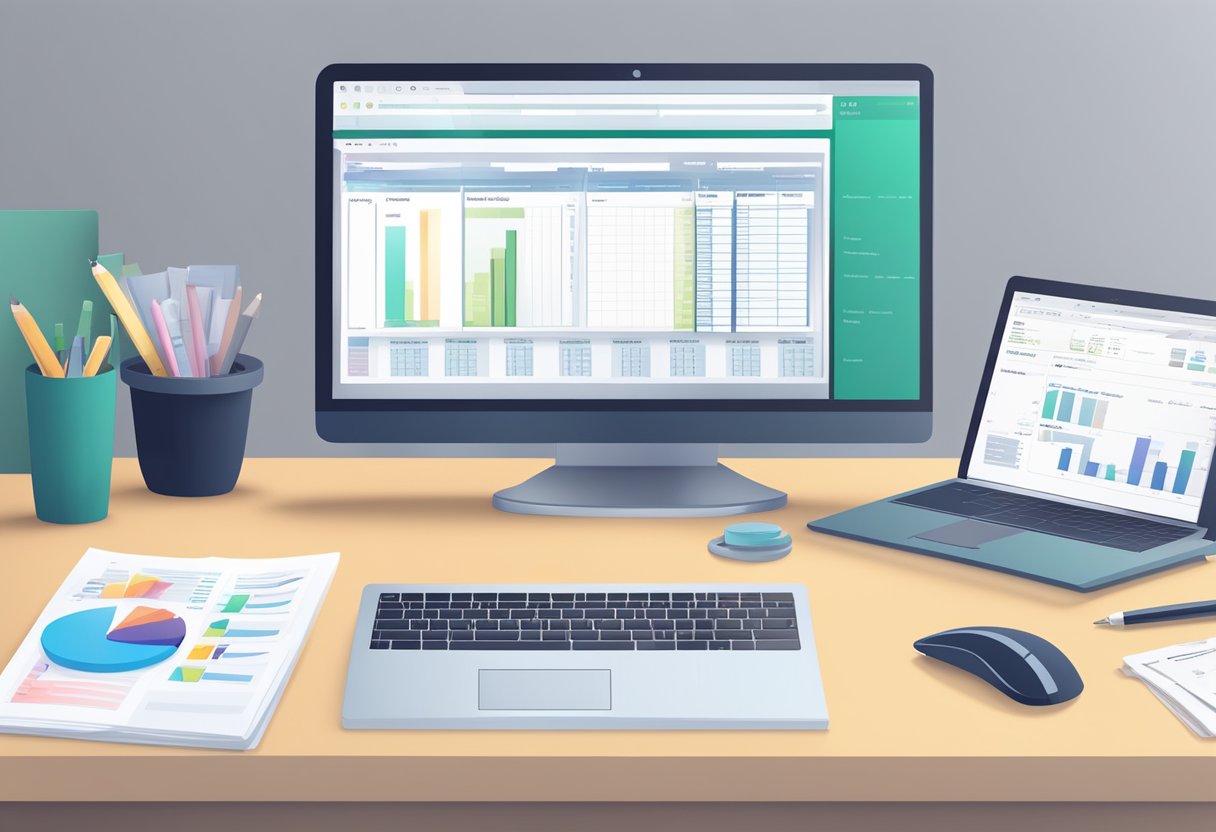
Selecting the right bookkeeping software for your business is a critical decision that can streamline your accounting processes and contribute to the overall efficiency and success of your operation. The availability of various bookkeeping solutions tailored to different business needs provides you with a multitude of options, but it also necessitates a careful analysis of what exactly your business requires. It involves considering not just the present accounting needs but also the future scalability as your business grows.
When exploring bookkeeping software options, it’s important to understand the features that each software offers and how they align with your business activities. The ideal bookkeeping software should cater to the specific financial transactions of your business, be user-friendly, and offer robust support for navigating through any technical challenges. Further, it should seamlessly integrate with other systems that you use and offer flexibility to accommodate the changing dimensions of your business.
Key Takeaways
- Choosing the right bookkeeping software is crucial for optimizing a small business’s financial processes.
- A thorough assessment of business-specific needs and software features is essential.
- It is important to consider the software’s ease of use, scalability, and the support offered.
Assessing Business Needs
When selecting bookkeeping software, it’s crucial for businesses to assess their individual needs to ensure they choose a product that aligns with their operations and compliance requirements.
Determining the Scale of Operations
The scale of a business’s operations is central to identifying the appropriate accounting software. Small businesses and freelancers might prefer software that simplifies invoicing and expense tracking, while larger enterprises may require advanced features that handle multiple billing cycles, complex transactions, and integrate with other business systems.
- For small business owners: Look for software that streamlines daily accounting tasks.
- For larger operations: Consider scalability and the ability to support a growing number of transactions and financial records.
Evaluating Financial Transactions
Understanding the volume and complexity of financial transactions is key when choosing bookkeeping software. Businesses should ensure the software can handle their specific transaction types, whether they include international payments, recurring billing, or real-time expense management.
- Expenses and Sales: The software should offer efficient ways to record and categorize expenses and sales.
- Payments: Seek features that facilitate quick and secure payment processing.
Compliance Requirements
Compliance with financial regulations such as IRS rules and sales tax laws is non-negotiable. Bookkeeping software must have the capability to generate accurate financial reports that comply with the latest standards.
- Financial Health: Ensure the software provides comprehensive reports that reflect the business’s financial health.
- Tax Compliance: It should have up-to-date features for sales tax calculation and reporting to ensure compliance.
Businesses must carefully analyze these aspects to choose bookkeeping software that not only manages their finances effectively but also aligns with their operational scope and fulfills regulatory obligations.
Understanding Bookkeeping Software Features
Selecting the right bookkeeping software for a business hinges on understanding the specific features that these software solutions offer. It is essential for business owners to recognize how these features impact financial tracking and data management.
Core Accounting Functions
The foundational components of bookkeeping software are its core accounting functions. These include the ability to track accounts receivable and accounts payable, manage the general ledger, and prepare essential financial statements such as the balance sheet, profit and loss statement, and cash flow statement. Having a robust set of accounting tools ensures that all monetary transactions are recorded accurately and efficiently.
Automation and Data Entry
Advancements in bookkeeping software have led to increased automation capabilities, significantly reducing manual data entry. Automated reconciliation tools compare entries with bank transactions to validate ledger accuracy. This not only streamlines operations but also minimizes the likelihood of errors, allowing for precise tracking of every financial component, from cash flow to ledger maintenance.
Reporting Capabilities
A key advantage of sophisticated bookkeeping software is its reporting capabilities. Users can generate various accounting reports, including detailed profit and loss statements, comprehensive balance sheets, and insightful cash flow statements. Access to real-time, accurate financial reporting is crucial for informed decision-making and presenting a clear picture of a company’s financial health.
Considering Ease of Use and Support
Selecting the right bookkeeping software is as much about the functionality as it is about the ease of learning and navigating the system. It’s important for businesses to consider how user-friendly the software is and what level of customer support is provided.
User Interface and Navigation
An intuitive user interface (UI) is critical for efficient bookkeeping. Software should allow users to perform tasks with minimal clicks and should be logically organized. A well-designed UI enhances the user experience, making tasks like generating invoices, inputting expenses, and reviewing financial reports more manageable. Some software offers a mobile app, giving users the advantage of managing their books on the go. It’s particularly important for those who prefer or need remote access to their financial data.
Customer and Technical Support
High-quality customer service is essential, especially when users encounter issues or have questions. Good bookkeeping software provides various support options, including email, live chat, and phone support, ensuring help is available when needed. Additionally, resources such as tutorials, forums, and guides can be invaluable for learning how to use the software effectively. A responsive technical support team can significantly reduce downtime and frustration, especially during critical financial periods.
Exploring Integration and Scalability
Selecting the right bookkeeping software requires careful consideration of how well it can integrate with existing systems and scale alongside a company’s growth. These attributes are fundamental to long-term operability and cost-effectiveness.
Integration with Other Systems
Bookkeeping software should seamlessly integrate with other critical business applications, such as Customer Relationship Management (CRM) systems, inventory management, and payroll services. Companies and freelancers rely on a variety of software tools to manage their operations; it is imperative that the chosen accounting software can communicate with these tools to ensure streamlined workflows. For instance, integration with third-party apps allows for real-time data syncing, reducing the need for manual data entry and the associated errors.
- CRM Systems: Ensure the bookkeeping software can share data with the CRM to track customer interactions and financial transactions in one place.
- Inventory Management: The software should synchronize with inventory systems to provide accurate financial reports on stock levels and values.
- Payroll Systems: Integration with payroll ensures that financial records reflect all compensation-related expenditures accurately.
Scalability for Growth
The right bookkeeping software should not only meet current needs but also adapt to future growth. Scalability in software is characterized by its ability to handle an increasing amount of work or its potential to enlarge. For small businesses and freelancers, accounting software must accommodate increasing transaction volumes, additional users, or expansion into new markets without substantial upgrades or switching costs.
- User Access: Look for software that allows adding more users as a business expands.
- Transaction Volume: The system should be robust enough to manage growing transaction loads without performance issues.
- Growth Into New Markets: Consider whether the software can handle multi-currency transactions and adapt to different tax laws for businesses aiming to expand internationally.
Examining Costs and Investment
When choosing bookkeeping software, businesses must carefully consider their budget and the potential return on investment. The right choice can streamline financial management and positively impact the company’s financial health, while the wrong choice can lead to unnecessary costs and complexity.
Understanding Pricing Models
Bookkeeping software typically comes in various pricing models. Some offer a flat subscription fee, while others may have a tiered structure where the cost increases with added features or users. It’s essential to understand the pricing tiers to select one that aligns with the company’s size and needs. For example, Sage Business Cloud Accounting starts their subscription at a price point conducive to micro-businesses, providing an economical entry point for small enterprises. Moreover, many vendors offer a free trial, allowing businesses to test the software before committing financially.
| Pricing Type | Features | Typical Starting Price | Trial Availability |
|---|---|---|---|
| Flat rate | Basic functionality, limited users or transactions | Varies | Common |
| Tiered | Increased features, users, support, and capabilities based on plan selected | Varies | Common |
| Pay-as-you-go | Charges based on actual usage or transactions, suitable for businesses with fluctuating bookkeeping demands | Varies | Rare |
Analyzing Return on Investment
An investment in bookkeeping software should ultimately contribute to the betterment of a company’s annual revenue and financial health. Businesses need to evaluate how much time and resources the software will save them and whether it will reduce mistakes and penalties associated with manual accounting. For instance, comprehensive features of a program like Intuit QuickBooks can provide extensive benefits, but the company must ensure the cost aligns with the anticipated efficiency gains and financial reporting improvements. Comparing the starting price with potential long-term savings and revenue impacts can help businesses make an informed decision.
| Software | Starting Price | Expected ROI Factor |
|---|---|---|
| QuickBooks | Higher | Comprehensive features, scalability, reduced accounting errors |
| Zoho Books | Mid-Range | Automation, free tier available, cost benefits for scaling up |
| Wave Accounting | Free | Basic financial reports for no initial cost, beneficial for businesses with limited bookkeeping requirements |
Reviewing Software Companies and Brands
When selecting bookkeeping software, businesses must consider the reputation and market presence of software providers as well as comparing the specifics of their bookkeeping solutions. This will ensure a choice that best aligns with their specific accounting needs and business size.
Reputation and Market Presence
The reputation of a bookkeeping software company can be indicative of their reliability and quality. Intuit QuickBooks is a notable player with a substantial market presence, widely recognized for QuickBooks Online, which caters to small to medium-sized businesses (SMBs). Similarly, Sage Accounting has established itself as a trustworthy brand, offering solutions like Sage Business Accounting that support automation of expense tracking.
Another strong contender is Xero, known for its cloud-based platform and seamless integrations. Wave Accounting has gained popularity especially among small businesses due to its free tier and invoicing capabilities. FreshBooks stands out for its easy-to-use interface and emphasis on small business accounting, making it a favored choice for entrepreneurs seeking straightforward solutions.
- QuickBooks (Intuit): Extensive market share; good for SMBs.
- Sage: Known for robust features; offers Sage Business Accounting.
- Xero: Strong presence with cloud-based solutions.
- Wave Accounting: Cost-effective option with a free tier.
- FreshBooks: User-friendly with a focus on small business needs.
Comparing Specific Bookkeeping Solutions
Comparing bookkeeping solutions involves looking at specific features and how they address business requirements. QuickBooks Online offers a spectrum of tools for invoice management, expense tracking, and financial reporting. Sage Accounting provides automatic expense tracking, appealing to businesses looking to automate more processes.
Wave Accounting distinguishes itself by being free for life and offering basic financial reports, which may suit micro-businesses and freelancers. On the other hand, Xero delivers customizable solutions with additional emphasis on integration capabilities. FreshBooks features tailored insights and recommendations that can aid growth and decision-making for smaller enterprises.
Each software has its strengths:
- QuickBooks Online: Comprehensive invoicing and reporting.
- Sage Business Accounting: Streamlines expense management.
- Wave Accounting: Ideal for those needing a cost-free option.
- Xero: Flexible, integration-friendly platform.
- FreshBooks: Provides insights and tools for scaling small businesses.
Assessing Additional Features and Services
When selecting bookkeeping software for a business, it’s essential to consider additional features and services that can streamline operations and provide significant value beyond basic accounting functions.
Inventory and Project Tracking
Inventory Management: Businesses that hold stock must prioritize inventory tracking capabilities. The right software should offer features that allow inventory levels to be closely monitored, alerting when stock is low and generating reports to prevent overstocking. For instance, software with a real-time inventory tracking system will enable a business to make informed purchasing decisions and manage stock levels effectively, ultimately improving cash flow.
Project Tracking: For service-based businesses or those that handle multiple projects simultaneously, project tracking functionalities become invaluable. Look for software that allows the allocation of time and resources to specific tasks or projects. This capability helps in forecasting future project expenses and tracking ongoing project profitability.
Advanced Features for Specific Needs
Mileage Tracking: If a business requires frequent travel by its employees, features such as mileage tracking can automate the reimbursement process and ensure accurate recording for tax deductions.
Forecasting: High-quality bookkeeping software often includes forecasting tools that can project future cash flow based on historical data and upcoming bills and invoices. These tools can help businesses anticipate their financial health and make strategic decisions accordingly.
Specific Industry Features: Software may offer advanced features tailored to particular industry needs, such as construction, nonprofit, or retail. These can range from job costing for contractors to donor management for nonprofits. Each business should evaluate if these specialized tools align with their operational requirements.
How to Finalize Your Choice
Choosing the right bookkeeping software can significantly impact a business’s financial health. Businesses must consider both their immediate needs and long-term value when selecting software that fits their budget.
Taking Advantage of Free Trials
Free trials are an excellent opportunity for businesses to get hands-on experience with bookkeeping software. They should leverage these trials to assess the software’s compatibility with their operations. During this period, it’s crucial to evaluate how intuitive and user-friendly the interface is for daily bookkeeping tasks. Free trials also offer a chance to test the software’s features against a company’s specific financial processes.
Making a Decision Based on Total Value
When determining which bookkeeping software to invest in, businesses should consider the total value rather than just the price. Value encompasses not only the cost but also how the software contributes to the efficiency of financial operations and the overall financial health of the business. Factors like integration capabilities, scalability, and customer support should weigh into the decision. A software that may have a higher initial cost but offers comprehensive features and robust reporting tools could ultimately offer more value in the long term.
Frequently Asked Questions
In this section, readers will find targeted answers about selecting the appropriate bookkeeping software for their business needs, factoring in specific features, scalability, industry requirements, benefits of cloud-based solutions, system integrations, and cost considerations.
What are the essential features to look for in bookkeeping software for small businesses?
Small businesses need bookkeeping software that includes robust features like invoicing, expense tracking, bank reconciliation, and financial reporting. Quick and efficient customer support and an intuitive user interface are also critical to meet the demands of small business operations.
How can the scale of my business influence my choice of accounting software?
The size of a business affects its accounting software needs; larger businesses may require advanced features like inventory management, greater user access levels, and extensive reporting capabilities. Smaller businesses often benefit from simplicity and more basic functionality.
In what ways does the industry my business operates within affect the choice of accounting software?
Different industries have unique financial processes and requirements. A business should choose accounting software that can handle industry-specific scenarios such as billing cycles, inventory needs, or compliance regulations.
What are the benefits of using cloud-based accounting software over traditional software?
Cloud-based accounting software offers accessibility from any device with an internet connection, automatic updates, and backups. They generally provide enhanced security and facilitate real-time collaboration between team members.
How does accounting software integration with other systems impact business operations?
Seamless integration of accounting software with other business systems, such as CRM or e-commerce platforms, streamlines workflows, reduces manual data entry, improves accuracy, and provides a comprehensive view of the business.
What should be considered when deciding between free and paid accounting software solutions?
Businesses should weigh the long-term value of the features offered by paid software against the limitations of free solutions. While free software can be cost-effective initially, paid solutions typically offer greater functionality, support, security, and scalability.

Leave a Reply