
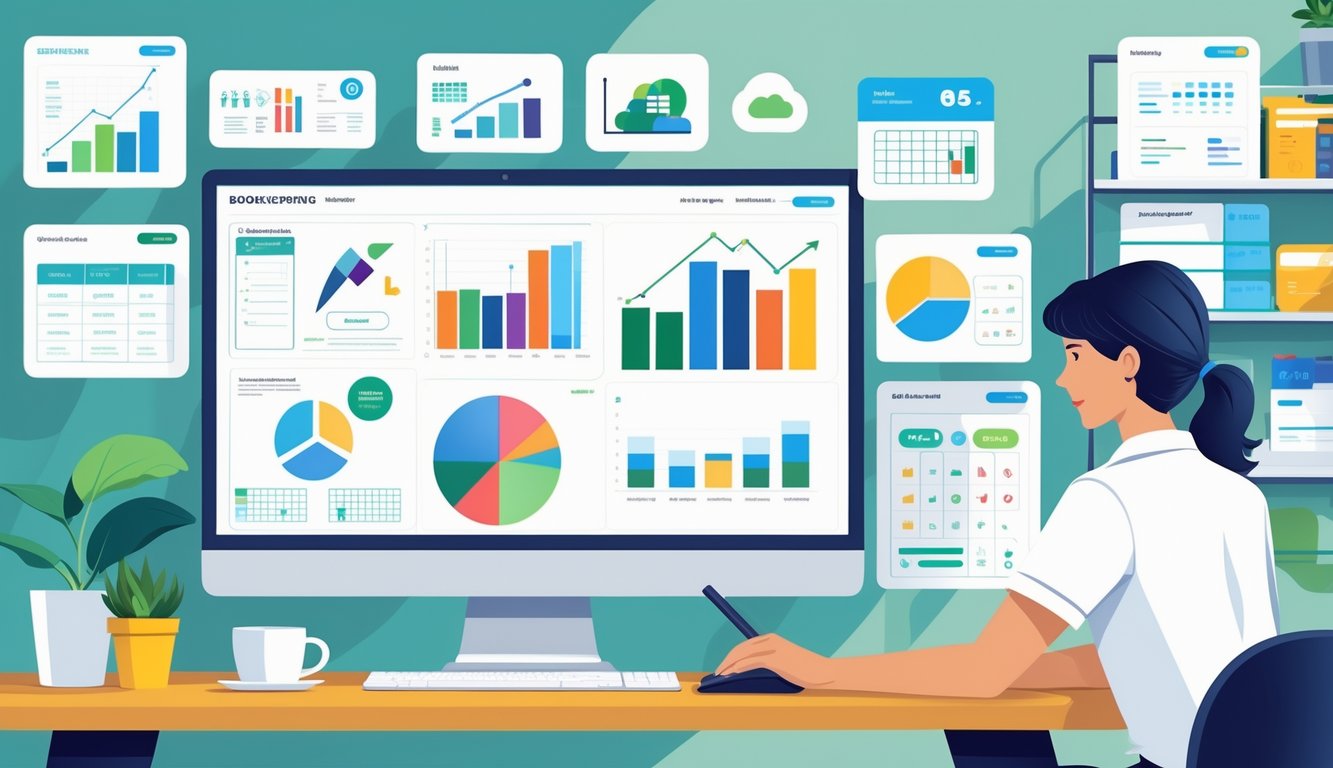
Top Bookkeeping Software Solutions
Accurate bookkeeping software helps self-employed professionals track income, organize expenses, and prepare for taxes with less effort. The right platform simplifies daily accounting tasks and keeps costs reasonable.
QuickBooks Self-Employed Overview
QuickBooks Self-Employed helps freelancers, sole proprietors, and independent contractors manage taxes and expenses efficiently. It links to bank accounts, automatically categorizes transactions, and tracks mileage for tax deductions.
Users can separate personal and business finances to avoid reporting errors. The software provides real-time tax estimates and generates expense summaries each quarter.
QuickBooks integrates with TurboTax, allowing users to file returns with fewer manual steps. Setup takes only a few minutes.
An interactive dashboard shows income, spending, and profit instantly. Customer support responds quickly through chat and forums.
Pricing starts with a monthly plan. New users can try a free trial before subscribing.
| Key Features | Description |
|---|---|
| Tax Estimate Tools | Calculates quarterly and annual taxes |
| Expense Categorization | Auto-sorts business vs. personal transactions |
| Mileage Tracking | Uses GPS for accurate trip logging |
| Integrations | Connects with TurboTax and common payment apps |
FreshBooks for Freelancers
FreshBooks offers simple and fast tools for self-employed bookkeepers and freelancers who work directly with clients. Its clear layout supports quick navigation and provides unlimited invoicing, expense tracking, and time management.
Each invoice includes service descriptions, due dates, and automated payment reminders. Users can organize expenses by project or client, making profit margins easier to understand.
FreshBooks generates standard financial reports like balance sheets and profit-and-loss statements. It supports multiple currencies and integrates with payment services such as Stripe and PayPal.
Mobile access allows users to track work on the go. New users can start with a free trial and choose from flexible subscription tiers based on business needs.
| Highlight | Benefit |
|---|---|
| Unlimited Invoicing | Ideal for managing frequent client billing |
| Expense Tracking | Categorizes costs for clear tax reporting |
| Time Tracking | Helps freelancers bill by the hour |
| Support | Live chat and help center available |
Xero for Solo Professionals
Xero provides advanced yet user-friendly bookkeeping features for self-employed professionals. Users can reconcile bank transactions quickly and monitor cash flow through detailed dashboards.
The software offers real-time profit updates and expense comparisons. Xero connects with many third-party apps, giving flexibility to small business owners who use payroll, inventory, or CRM tools.
Shared access controls allow accountants or clients to review records securely. Its clean interface makes financial tracking simple for users without accounting experience.
Cloud syncing ensures updates appear across all linked devices. Pricing varies by plan, but all options include financial reporting, mobile access, and secure cloud storage.
| Core Functions | Details |
|---|---|
| Bank Reconciliation | Matches transactions automatically |
| Cash Flow View | Real-time updates on account activity |
| Multi-User Access | Enables secure collaboration |
| Integrations | Works with over 1,000 business apps |
Wave for Cost-Conscious Bookkeepers
Wave serves cost-conscious self-employed bookkeepers who need essential features without monthly fees. The service offers free invoicing, receipt scanning, and income tracking tools.
Users can connect bank accounts for easier reconciliation and automatic transaction imports. Wave generates reports that outline income and expenses over any period.
The platform’s design is straightforward, so even first-time users can manage daily records easily. Optional paid services, such as payroll and payment processing, are available when needed.
Secure cloud backup ensures records stay safe, and no installation is required. Wave remains one of the most affordable bookkeeping software options for self-employed users.
| Feature | Value |
|---|---|
| Price | Free for core accounting tools |
| Invoicing | Customizable templates with reminders |
| Reporting | Includes profit-and-loss and balance sheets |
| Add-ons | Optional payroll and payment features |
Comprehensive Accounting Software Options
Modern self-employed bookkeepers use tools that simplify daily accounting, automate data entry, and connect easily with banking and payment systems. The best options combine intuitive interfaces with features that scale as business grows.
Zoho Books Features
Zoho Books provides practical tools for managing invoices, tracking expenses, and reconciling accounts. Its simple layout helps users focus on accuracy rather than learning the interface.
Smart automation handles recurring invoices and payment reminders, saving time each month. Users can link Zoho Books with payment gateways and business apps to synchronize transactions and reduce manual updates.
The software supports multi-user access, allowing teams to collaborate with role-based permissions. Zoho Books offers real-time insight into cash flow and tax liabilities.
Reports like profit and loss statements, balance sheets, and project cost summaries generate quickly. Both mobile and desktop versions are available for flexible, remote bookkeeping.
FreeAgent for Self-Employed
FreeAgent helps freelancers and contractors who want accessible, full-featured accounting software. Its dashboard shows income, expenses, and project summaries clearly.
The system automates recurring transactions, generates invoices, and connects with bank feeds for fast reconciliation. Time tracking integrates with billing to convert hours into invoices.
Built-in tax tools help forecast quarterly obligations. FreeAgent allows category customization and integration with payment processors.
The platform offers strong reporting tools, including expense breakdowns and project profitability. Simple navigation and support options make it a reliable choice for solo bookkeepers.
Kashoo Simplicity
Kashoo appeals to independent bookkeepers who prefer a clean design and direct functionality. It offers essential tools like expense tracking, sales tax management, and easy bank reconciliation.
Users can enter transactions quickly and review financial data without confusion. Kashoo provides real-time income and expense reports for instant feedback.
Automatic bank import features reduce manual work. While Kashoo has fewer advanced integrations, it remains reliable and fast.
Cloud syncing keeps records secure and current. Affordable pricing and easy setup make Kashoo a practical solution for those who value efficiency.
Automation and Integration Tools
Modern bookkeeping uses connected systems that handle repetitive work automatically. Automation reduces errors, and integration keeps data—like invoices, expenses, and bank transactions—synchronized across platforms.
These tools save time and improve accuracy.
Automated Invoicing
Automated invoicing tools help self-employed bookkeepers manage client billing without manual entry. Platforms like QuickBooks Online, FreshBooks, and Bill.com generate and send invoices automatically, track payments, and issue reminders.
These tools link with payment gateways such as Stripe or PayPal to make collections easier. Setting up templates and scheduling recurring invoices is simple.
When a client pays, the system updates records instantly. This reduces double entries and missed payments.
| Feature | Benefit |
|---|---|
| Recurring invoice scheduling | Saves time on repeat billing |
| Payment tracking | Monitors outstanding balances |
| Automatic reminders | Encourages timely payments |
Automated billing gives self-employed professionals a reliable and professional invoicing process with minimal effort.
Expense Tracking Integration
Expense tracking automation connects transaction data directly with accounting systems. Tools like Dext Prepare, Expensify, and Hubdoc use OCR to extract information from receipts and send it to accounting software in real time.
These tools categorize transactions, attach digital receipts, and sync with accounting software like QuickBooks or Xero. This workflow saves time and keeps records audit-ready.
Mobile apps let users snap receipt photos on the go, uploading data automatically. Integrated systems create consistent records and give bookkeepers instant insight into spending.
Bank Reconciliation Features
Automated bank reconciliation features link business financial accounts to bookkeeping platforms through secure connections. The software imports transactions daily, matches them with records, and flags discrepancies for review.
Programs like QuickBooks Online and Xero use machine learning to remember transaction categories. This reduces manual checks and speeds up month-end closing.
Key integrations include:
- Real-time transaction sync
- Automatic matching for recurring transactions
- Detection alerts for duplicates or unusual entries
These features help bookkeepers keep accounts clean and balanced.
Expense and Financial Management
Accurate financial management helps self-employed bookkeepers keep organized records and make informed decisions. The most effective tools simplify expense tracking, deliver timely financial data, and automate routine tasks.
Expense Categorization
Properly classifying expenses lets bookkeepers see where money goes and find tax-deductible items quickly. Software like QuickBooks Self-Employed and FreshBooks automate tagging for common categories such as travel, subscriptions, or office supplies.
Most platforms allow users to create custom categories. Some use rule-based filters to assign categories based on vendor names or keywords.
A structured system for expense categorization makes reviews more efficient. It also helps with budgeting by showing recurring costs and spending trends.
Real-Time Reporting
Real-time reporting keeps bookkeepers aware of cash flow, profit margins, and spending patterns. Tools like Xero and Zoho Books display this data on dashboards that update automatically from bank accounts.
Users can check income statements, expense summaries, and tax obligations without waiting for manual reports. Immediate feedback helps adjust budgets or spot issues early.
Many platforms show key indicators like net income and outstanding balances in tables or charts.
| Metric | Purpose | Update Frequency |
|---|---|---|
| Cash Flow | Tracks inflows and outflows | Real-time |
| Expense Summary | Shows category-level spending | Daily |
| Tax Estimate | Forecasts owed taxes | On-demand |
Mileage Tracking Solutions
Mileage tracking is important for freelancers and contractors who claim travel deductions. Digital tools like MileIQ or QuickBooks Self-Employed use GPS to record trips automatically.
These apps calculate distance, time, and potential deductions. Users can label drives as business or personal with a simple tap.
Some mileage tools sync with accounting software, placing costs in the correct expense category. This helps keep financial records accurate and ready for tax season.
Consistent logging protects users during audits by keeping detailed records of business travel.
Client and Project Management Software
Reliable software helps self-employed bookkeepers organize client details and monitor deliverables. These tools improve communication and streamline the administrative side of client relationships.
Client Portal and Communication
A client portal lets clients access files, invoices, and progress updates directly. It reduces email clutter and improves document security.
Tools like Bonsai or Fiverr Workspace offer built-in portals for uploading receipts, downloading reports, and commenting on shared items. Clients can interact with shared documents without relying on email.
Clear communication features, such as in-app messaging or status dashboards, keep clients informed about deadlines and upcoming tasks. This transparency builds trust and encourages repeat business.
Some platforms offer permission settings so bookkeepers choose who can view sensitive financial data. Others send automatic reminders for document requests or invoice payments to help everyone stay on schedule.
Project Management Features
Effective project management software tracks progress from onboarding to reporting. Bookkeepers use task lists, time tracking, recurring workflows, and milestones to stay organized.
Tools like Moxie or TrulySmall Accounting combine accounting and project tracking, reducing the need for multiple apps. A dashboard view organizes clients and projects by due dates, while budget tracking shows profitability per engagement.
Automation moves tasks from invoicing to reconciliation when certain steps finish, saving time. Some apps integrate with cloud storage or payment processors, letting bookkeepers upload receipts and confirm transactions in one place.
Linking client and project data helps bookkeepers avoid missed deadlines and improves accuracy.
Contracts and Proposals
Professional contracts and proposals set clear expectations between bookkeepers and clients. Software like Bonsai and HelloSign offers templates for agreements such as scope of work, billing terms, or confidentiality clauses.
Bookkeepers can send legally sound documents quickly. Version tracking keeps both sides aligned if terms change before the project starts.
E-signature features simplify approvals, eliminating paper forms and delays. These tools also save key details—like rates, deliverables, and payment schedules—directly into the client record.
This approach reduces disputes and speeds up onboarding for new clients.
Essential Administrative Tools
Accurate records and efficient workflows help bookkeepers stay organized and save time. The right tools let them manage hours worked, track expenses, and keep financial data structured without extra complexity.
Time Tracking Applications
Time tracking helps bookkeepers measure billable hours and manage workloads. Applications like Toggl Track, Clockify, and Harvest record time spent on specific clients or projects with minimal setup.
These tools provide dashboards that break down hours by task, date, or client for clear reporting. Automated timers reduce manual entry, while built-in reminders prevent missed logs.
Cloud syncing lets users track time on desktops or mobile devices. Some apps integrate with accounting platforms like QuickBooks Online or Xero for smooth data transfer into invoices.
| Feature | Benefit |
|---|---|
| Automatic timers | Reduces data entry errors |
| Reports and summaries | Supports accurate billing |
| Integrations | Saves time combining data sources |
Simple interfaces and one-click exports make these tools practical for managing administrative tasks.
Spreadsheets for Bookkeeping
Spreadsheets remain a core tool for financial organization. Software like Microsoft Excel, Google Sheets, and LibreOffice Calc helps bookkeepers record transactions, reconcile accounts, and perform calculations.
Templates for income and expense tracking, mileage logs, and balance sheets make setup fast. Many professionals use color-coded layouts or formulas to flag errors or summarize data automatically.
Shared online access through Google Sheets supports real-time collaboration with clients. While modern accounting software automates many functions, spreadsheets still offer unmatched control for quick adjustments and small projects.
Their ease of use and familiarity make them a dependable choice for daily administrative data.
Document Storage and Organization
Efficient storage keeps receipts, invoices, and reports safe and accessible. Platforms like Google Drive, Dropbox, and OneDrive let users organize files into labeled folders and share them securely.
Scanning apps such as Dext or Expensify convert paper receipts into digital copies, reducing clutter and simplifying audits. Cloud systems provide version tracking so users can see who made changes and when.
Strong folder structures, consistent file naming, and clear permissions prevent confusion. These habits keep administrative materials organized and ensure records are always available for review.
Additional Features for Bookkeepers
Modern bookkeeping tools offer more than income and expense tracking. Many streamline payroll, manage multi-currency accounts, handle inventory, and provide customer support.
These features help bookkeepers save time, improve accuracy, and maintain compliance across financial areas.
Payroll Services
Payroll integration reduces manual work by automatically calculating wages, deductions, and taxes. Bookkeepers can link payroll software like Gusto, ADP, or Deel with accounting systems such as QuickBooks or Xero to post every payment and tax entry correctly.
Automated payroll helps prevent errors that could affect compliance or employee satisfaction. Many tools offer real-time salary calculations and generate tax forms on schedule.
Direct deposit and automated reporting further simplify processing.
| Feature | Benefit |
|---|---|
| Automated tax filing | Reduces compliance risk |
| Direct integration with accounting | Eliminates duplicate entries |
| Payroll reports | Provides audit-ready records |
These functions make payroll more transparent and let bookkeepers focus on financial analysis.
Multiple Currencies Support
Freelancers and self-employed bookkeepers often work with international clients. Accounting software with multiple currencies converts amounts using live exchange rates and keeps ledger entries accurate.
Tools such as Xero and Zoho Books support dual reporting and automatic conversions. Users can view profits in their base currency while tracking foreign transactions.
Key features include:
- Automatic rate updates from trusted sources
- Multi-currency invoicing and payment processing with PayPal or Stripe
- Double-entry accounting for every conversion to ensure data integrity
Reliable currency support prevents manual conversion errors and keeps records consistent for tax reporting.
Inventory Management
Bookkeepers serving small businesses that sell physical goods need integrated inventory management tools. Applications like QuickBooks Online or Zoho Inventory connect stock tracking with accounting ledgers, so every sale, return, or purchase order updates financial reports.
Software generates notifications when stock runs low or when reorder points are reached. These alerts help clients maintain cash flow and avoid overstocking.
Inventory data ties into cost-of-goods-sold reports and profit tracking. When combined with double-entry accounting, each item move links to a financial record for accurate statements and better insight.
Customer Support Resources
Reliable customer support gives bookkeepers confidence when issues arise. Software providers offer help through chat, email, or phone.
Platforms like FreshBooks and Wave add knowledge bases, video tutorials, and active user forums. Quick access to help reduces downtime during tasks like payroll adjustments or report generation.
Some services assign dedicated account managers or offer live onboarding assistance for complex setups.
When comparing tools, users should review:
- Response times and support availability
- Documentation quality and step-by-step guides
- Community access for peer troubleshooting
Strong support resources keep workflows stable and ensure that system updates or integrations work smoothly.
Payment and Tax Support Tools
Reliable financial tools help self-employed bookkeepers manage digital payments and taxes accurately. They ensure smooth client transactions, handle complex tax tracking, and reduce administrative time through automation.
Payment Gateways Integration
Modern bookkeeping software connects with payment gateways like Stripe, PayPal, and Square to simplify client billing. These integrations let users send invoices and receive payments within the same dashboard, reducing manual data entry.
Real-time notifications confirm when clients pay, helping track income efficiently. Platforms like QuickBooks Self-Employed and FreshBooks offer multi-currency support with secure payment encryption.
Integration with accounting tools syncs balances and receipts automatically, avoiding duplicate entries.
| Gateway | Key Benefit | Typical Use Case |
|---|---|---|
| Stripe | Fast online payments | Freelancers handling recurring invoices |
| PayPal | Wide user acceptance | Client projects with varied payment sources |
| Square | In-person and online payments | Small business services and retail work |
Tax Calculations and Support
Tax automation features reduce errors and simplify quarterly and annual reporting. Tools like Xero and QuickBooks Self-Employed include built-in tax calculation functions that categorize expenses, estimate taxes, and prepare summaries for filing.
These functions help track deductible items such as mileage or office supplies. Many programs generate tax-ready reports that users can export or share with tax professionals.
Integrations with IRS-approved e-filing tools or third-party apps provide added support. Some tools adapt calculations to regional tax regulations, helping maintain compliance without manual cross-checking.
Regular updates to tax tables keep deductions and rates current, reducing the need for manual adjustments.
Affordability and Free Trial Options
Affordability often guides software choice for independent professionals. Platforms like Wave offer free core accounting services, including basic invoicing and receipt tracking.
Others, such as FreshBooks or Zoho Books, feature tiered pricing models that scale with business growth. Most modern accounting tools provide a free trial—usually 14 to 30 days—so users can test integrations, payment tracking, and tax calculation before committing.
| Software | Free Trial | Starting Cost (Monthly) |
|---|---|---|
| QuickBooks Self-Employed | 30 days | About $15 |
| FreshBooks | 30 days | About $17 |
| Wave | N/A (Free version) | $0 |
| Zoho Books | 14 days | About $15 |
Affordable automation features help bookkeepers manage revenue collection and tax duties without extra cost.
Frequently Asked Questions
Self-employed bookkeepers rely on dependable tools that make accounting, reporting, and client management easier. The following insights share specific software options by category, including highly rated, affordable, and mobile-friendly programs suited for everyday work.
What are the top-rated accounting tools for solo bookkeepers?
QuickBooks Self-Employed, FreshBooks, and Xero are among the most trusted tools for independent professionals. Each provides strong features for tracking income, expenses, and taxes with simple dashboards for quick setup and daily efficiency.
Zoho Books works well for those wanting automation for invoice handling and expense categorization at a reasonable price. These options support accurate reporting and direct integration with banks or third-party apps.
Which bookkeeping software offers the best value for small businesses?
Wave stands out for offering robust free tools for invoicing and receipt management. It appeals to early-stage businesses focused on minimizing costs while maintaining professional reporting.
Zoho Books and FreshBooks balance cost and functionality, with tiered pricing that lets users start small and scale up. Both options include customer support and essential integration features.
What are the best free accounting tools available for self-employed individuals?
Wave is a popular free choice due to its no-cost access to basic accounting functions. It enables expense tracking, invoicing, and simple reconciliation without a subscription.
Invoice Ninja also provides a free version for small-scale billing and payment processing, useful for freelancers with modest accounting needs.
Can you recommend efficient software for self-employed bookkeepers managing multiple clients?
Xero and FreeAgent help bookkeepers handle several clients at once. Xero allows quick switching between accounts, while its reporting tools keep data consistent.
FreshBooks and Bonsai simplify recurring billing and project tracking, reducing time spent on routine updates.
What desktop accounting software is most suitable for a small business?
Sage Business Cloud Accounting offers a desktop-accessible interface with reliable tools for bookkeeping, payroll, and invoicing. Its structure and data security suit small organizations preferring locally accessible financial control.
Kashoo is another option that provides clear desktop functionality and straightforward navigation.
Are there any bookkeeping software options with strong mobile support for on-the-go management?
QuickBooks Self-Employed earns high marks for its mobile app. Users can track mileage, send invoices, and capture expenses directly from a smartphone.
The design fits professionals who travel often or work onsite with clients.
FreshBooks and Xero provide mobile apps that sync in real time with desktop data. Users can make decisions and update records quickly from any location.
Leave a Reply